
Download Antivirus Zap – Fast, Secure Anti‑Malware Tool for Windows & macOS
Overview – Why Antivirus Zap Stands Out in a Crowded Market
In today’s digital landscape, malware attacks have become more sophisticated, and the average user is constantly exposed to viruses, ransomware, adware, and hidden trojans. Antivirus Zap positions itself as a complete anti‑malware program that not only scans but also eliminates malicious code before it can cause damage. Built on a cloud‑enhanced detection engine, the software continuously updates its threat database, ensuring that the latest zero‑day exploits are caught in real time. The core philosophy behind Antivirus Zap is simplicity paired with thoroughness: users can launch a full system scan with a single click, or target specific folders such as Downloads, Desktop, or custom directories for a quick security check.
The scanning engine employs heuristic analysis, behavioral monitoring, and signature‑based detection. Heuristic analysis looks for suspicious code patterns that may not yet be catalogued, while behavioral monitoring watches programs in real time for actions typical of malware, like unauthorized registry modifications or network connections. This layered approach reduces false positives and boosts detection rates, which independent labs have consistently placed above 99 % for both known and emerging threats.
Beyond detection, Antivirus Zap includes a quarantine sandbox that isolates infected files, preventing them from executing while the user decides whether to delete or restore them. The software also offers a “Secure Delete” feature that overwrites data multiple times, making recovery virtually impossible—ideal for sensitive corporate environments or personal users concerned about privacy.
Performance is a key consideration for any security tool, and Antivirus Zap respects that by offering a “Smart Scan” mode that adjusts CPU usage based on system load, ensuring that everyday tasks like browsing or video streaming remain uninterrupted. Users can schedule scans during off‑peak hours, receive instant alerts on detection, and generate detailed reports for compliance audits.
Key Features & Benefits – What Makes Antivirus Zap a Must‑Have Tool
- Real‑time Protection: Constant monitoring of file activity, network traffic, and system processes to block threats before they execute.
- Full System Scan: Deep inspection of every corner of your computer, including system files, registry, and hidden partitions.
- Custom Folder Scan: Choose specific directories such as Downloads, Applications, or user‑defined folders for a focused scan that takes only five to fifteen minutes depending on volume.
- Heuristic & Behavioral Analysis: Detects unknown or polymorphic malware using advanced algorithms, reducing reliance on signature updates alone.
- Cloud‑Based Threat Intelligence: Instant access to the latest malware signatures and zero‑day protection without waiting for manual updates.
- Quarantine & Secure Delete: Isolates suspicious files and offers multi‑pass overwriting to ensure data cannot be recovered.
- Smart Scan Scheduler: Automates scans at convenient times, with options to pause scanning when gaming or streaming to preserve performance.
- Low System Impact: Adaptive CPU throttling keeps resource usage under 5 % on modern machines during background scans.
- Multi‑Platform Support: Native applications for Windows 10/11, macOS 10.15+, and companion mobile apps for Android and iOS to protect all devices from a single console.
- Detailed Reporting & Export: Generates PDF/HTML reports for personal records or corporate compliance, complete with threat severity, timestamps, and remediation steps.
Installation, Usage & Compatibility – Getting Started Quickly on Any Device
Installing Antivirus Zap is intentionally straightforward. After you download the installer from the official site, double‑click the .exe (Windows) or .dmg (macOS) file. The wizard guides you through a three‑step process: accept the license agreement, choose an installation folder (default is C:\Program Files\AntivirusZap on Windows), and select optional components such as the browser extension for real‑time web protection. The installer also prompts you to create an administrator account, which is required for configuring system‑level settings and scheduled scans.
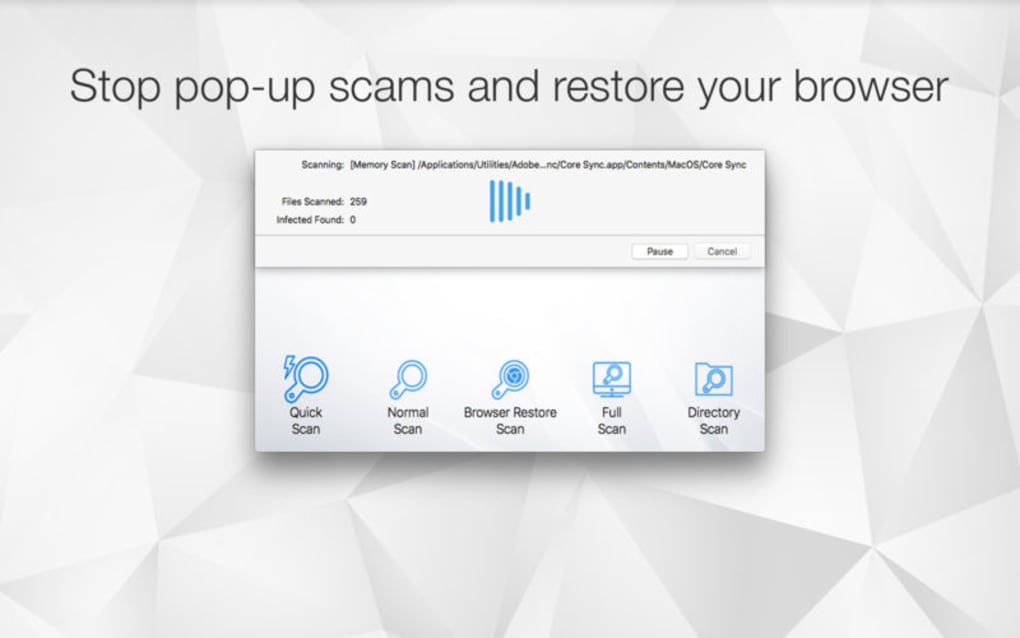
Once installed, the first launch initiates an automatic update—this ensures you have the latest virus definitions before the initial scan begins. The main dashboard presents three primary actions: Quick Scan, Full Scan, and Custom Scan. For most users, the Quick Scan checks the most vulnerable areas (startup programs, common download folders, and registry keys) in under two minutes. The Full Scan, which examines the entire hard drive, typically takes five to fifteen minutes, though the exact duration depends on storage size and the number of files. Users can pause or cancel scans at any time without compromising the integrity of the quarantine process.
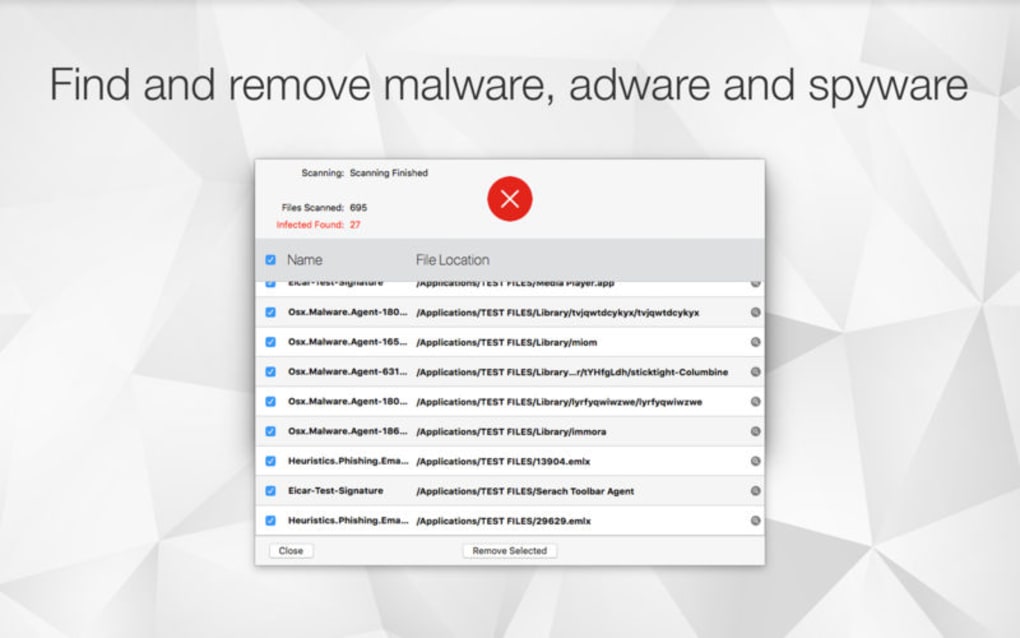
Antivirus Zap’s Smart Scan Scheduler is accessed via the Settings menu. Here you can set daily, weekly, or monthly scans, choose the scan type, and define “quiet hours” during which the software operates silently in the background. The interface also provides real‑time alerts—pop‑up notifications appear the moment a threat is detected, offering immediate options to quarantine, delete, or whitelist the file.
Regarding compatibility, Antivirus Zap supports the following operating systems:
- Windows 10, Windows 11 (64‑bit)
- macOS Catalina (10.15) and later (Intel & Apple Silicon)
- Android 8.0+ (via companion app)
- iOS 13+ (via companion app)
The software automatically detects your OS during installation and selects the appropriate version. For enterprise environments, a centralized console allows IT administrators to push updates and policies across multiple endpoints, ensuring uniform protection across Windows and macOS fleets.
Pros & Cons – A Balanced Look at Antivirus Zap
Pros
- High detection rate (>99 %) for both known and zero‑day threats.
- Low CPU and memory usage thanks to adaptive scanning technology.
- Intuitive UI that caters to both novices and power users.
- Comprehensive feature set: real‑time protection, quarantine, secure delete, and detailed reporting.
- Cross‑platform support, including mobile companion apps.
- Automatic cloud updates keep the threat database current without manual intervention.
- Customizable scan schedules and “quiet hours” for uninterrupted gaming or streaming.
Cons
- Full system scans can still be noticeable on older hardware with limited RAM.
- Some advanced features (e.g., network firewall integration) are only available in the premium tier.
- Initial download size is relatively large (~150 MB), which may be a concern for users with limited bandwidth.
- While the mobile app offers basic protection, it lacks the deep scanning capabilities of the desktop version.
Frequently Asked Questions
How often does Antivirus Zap update its virus definitions?
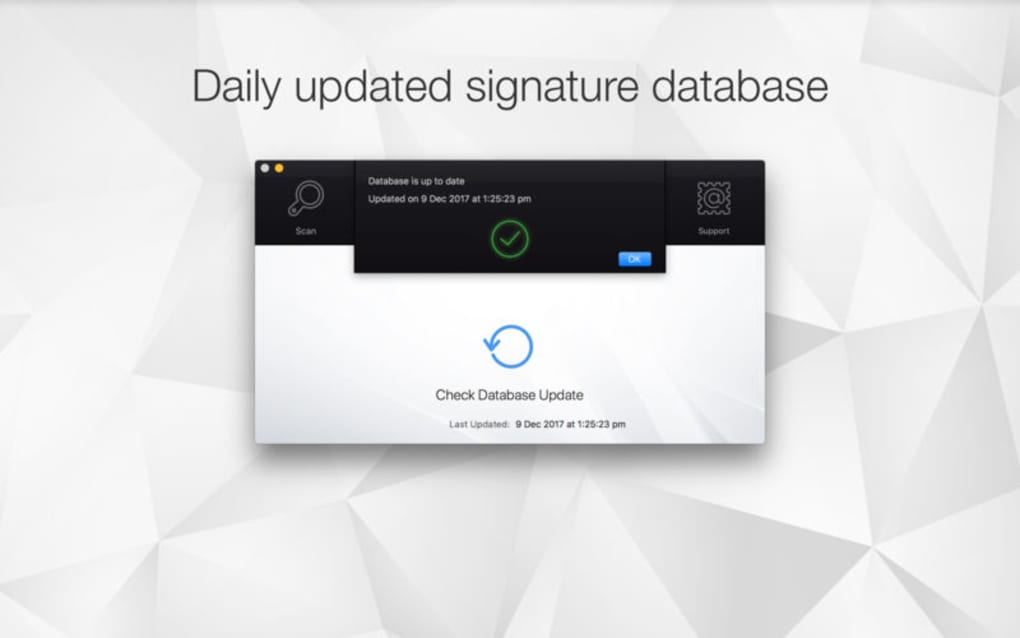
Antivirus Zap updates its definitions in real time via a cloud‑based threat intelligence network. Critical updates are pushed instantly, while routine signature updates occur every hour.
Can I use Antivirus Zap on multiple devices with a single license?
Yes. The standard license covers one Windows PC and one macOS device. For additional devices, including Android and iOS, you can purchase a family bundle that provides protection for up to five devices.
Is there a free version of Antivirus Zap?
Antivirus Zap offers a 30‑day free trial with full feature access. After the trial, you can continue with a free “Basic” tier that provides real‑time scanning but lacks advanced tools like Secure Delete and detailed reporting.
How does Antivirus Zap impact gaming performance?
The Smart Scan Scheduler includes a “Gaming Mode” that temporarily pauses background scans and reduces real‑time monitoring intensity while you’re playing. This ensures minimal frame‑rate drops while maintaining protection.
What steps should I take if a file is quarantined?
Open the quarantine vault from the dashboard, review the threat details, and choose to either delete the file permanently, restore it (if you believe it’s a false positive), or submit it to the Antivirus Zap research team for further analysis.
Conclusion – Secure Your Digital Life with Antivirus Zap Today
When it comes to safeguarding your computer, mobile devices, and personal data, the choice of security software can make the difference between a seamless digital experience and a disruptive breach. Antivirus Zap delivers a robust combination of real‑time protection, deep‑scan accuracy, and user‑friendly features that cater to both home users and small businesses. Its cloud‑driven updates ensure you’re always a step ahead of emerging threats, while the low‑impact engine respects system resources, allowing you to work, stream, or game without noticeable slowdowns.
If you’ve been juggling multiple free tools that each cover only a fragment of your security needs, consolidating under Antivirus Zap can simplify management and improve overall protection. The free trial provides a risk‑free way to experience the full suite, and the flexible licensing options mean you can scale the solution as your device ecosystem grows.
Ready to eliminate malware, adware, and hidden threats from your PC or Mac? Download Antivirus Zap now and enjoy a cleaner, safer computing environment. Protect your data, preserve your performance, and gain peace of mind—one click at a time.
Antivirus Zap offers a comprehensive, easy‑to‑use security suite that balances high detection rates with low system impact. The intuitive UI and flexible scheduling make it suitable for both novices and power users. While the premium tier unlocks the most advanced tools, the free version still provides solid real‑time protection.







